
Citrus

Drop it on a slice.

Citrus converts files mid-drag, on your own computer. Press a key, a wheel opens around the file, let go on the format you need. Nothing is uploaded.

Pick a fruit, or press Shift Command Control on your keyboard.

Free and MIT licensed · macOS 14 or later · an early port for Windows and Linux

No app to open.

Citrus waits in the menu bar or the system tray and only shows up when you are already dragging a file somewhere.

Drag.

Pick up a file from Finder, Explorer, the desktop, a download bar, anywhere you can drag from.

Tap.

Tap Shift Command or Control (Shift, Ctrl or Alt on Windows and Linux). A wheel of slices opens around the pointer and stays open after you let go of the key.

Drop.

Let go on a slice. A new copy lands next to the original, or in a folder you pick in Settings. A long job can be cancelled from its toast.

No mouse? Control Return

On a Mac, select files in Finder and press the hotkey. The same wheel opens without a drag. Change the key or switch it off in Settings › Keys.

Left arrowRight arrow chooseReturn applyTab switch wheelEsc cancel

ShiftConvert

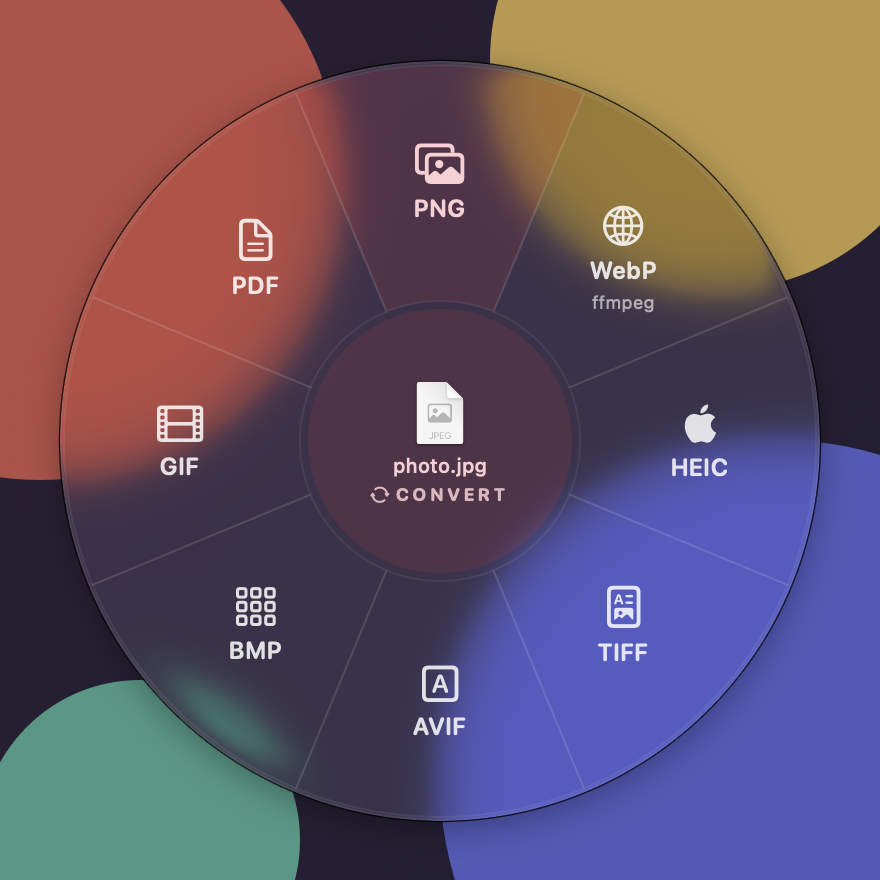
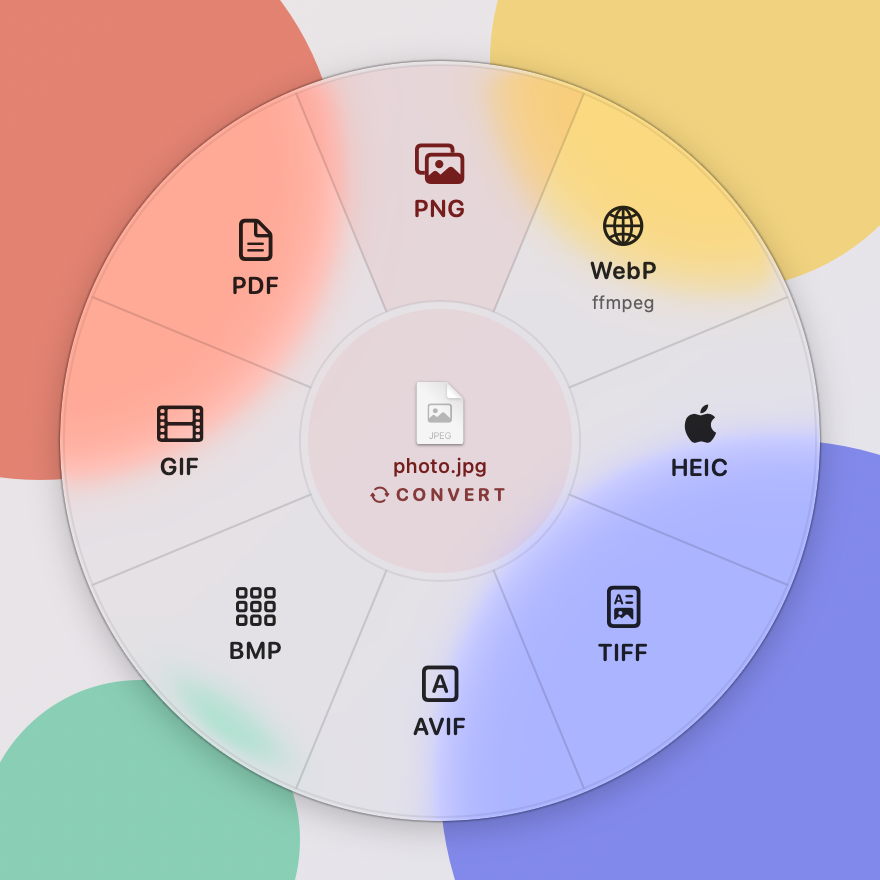
Tap Shift mid-drag for a new format. The wheel only shows what makes sense for the file in your hand: a photo gets image formats, a PDF gets documents.

The Convert wheel in light mode around photo.jpg: PNG, WebP, HEIC, TIFF, AVIF, BMP, GIF and PDF.
  • JPG
  • PNG
  • WebP
  • HEIC
  • TIFF
  • AVIF
  • GIF
  • BMP
  • PDF
  • MP4
  • MOV
  • M4A
  • WAV
  • AIFF
  • DOCX
  • PPTX
  • XLSX
  • CSV
  • TSV
  • JSON
  • Markdown
  • TXT
  • RTF
  • HTML
  • EPUB
  • ODT
  • SRT
  • VTT
  • ZIP
  • TAR
  • GZIP
  • MP3
  • FLAC
  • OGG
  • Opus
  • WMA
  • MKV
  • WebM
  • AVI
  • WMV

Built inWith a free helper: ffmpeg, pandoc or unar

The full chart what goes in, what comes out
PNGBuilt in
KindTakesTurns into
ImagesJPG PNG WebP HEIC TIFF AVIF BMP GIF SVG
  • JPG
  • PNG
  • WebP
  • HEIC
  • TIFF
  • AVIF
  • BMP
  • GIF
  • PDF
AudioAnything AVFoundation or ffmpeg reads
  • M4A
  • WAV
  • AIFF
  • MP3
  • FLAC
  • OGG
  • Opus
  • WMA
VideoAnything AVFoundation or ffmpeg reads
  • MP4
  • MOV
  • GIF
  • M4A
  • MKV
  • WebM
  • AVI
  • WMV
  • MP3
PDFPDF
  • DOCX
  • Pages
  • PPTX
  • XLSX
  • JPG
  • PNG
  • TXT
  • Markdown
  • RTF
  • HTML
  • EPUB
DocumentsDOCX DOC Pages RTF RTFD TXT Markdown HTML EPUB ODT, text clippings
  • DOCX
  • PDF
  • Pages
  • Markdown
  • TXT
  • RTF
  • HTML
  • EPUB
  • ODT
SlidesPPTX PPT Keynote ODP
  • PDF
  • JPG per slide
  • PNG per slide
  • PPTX
  • Keynote
SpreadsheetsXLSX CSV TSV XLS ODS Numbers
  • XLSX
  • CSV
  • TSV
  • Markdown
  • HTML
  • JSON
  • PDF
  • Numbers
SubtitlesSRT VTT
  • SRT
  • VTT
  • TXT
ArchivesZIP TAR GZ BZ2 XZ, RAR 7z, any file or folder
  • ZIP
  • TAR
  • GZIP

The helpers are ffmpeg, pandoc and unar. Pages, Numbers, Keynote, Office or LibreOffice open the files their formats need (LibreOffice on Windows and Linux); on a Mac, Citrus drives them over Apple events and macOS asks once. PPTX has its own renderer, so it works without any app. The original is never modified.

CommandTools

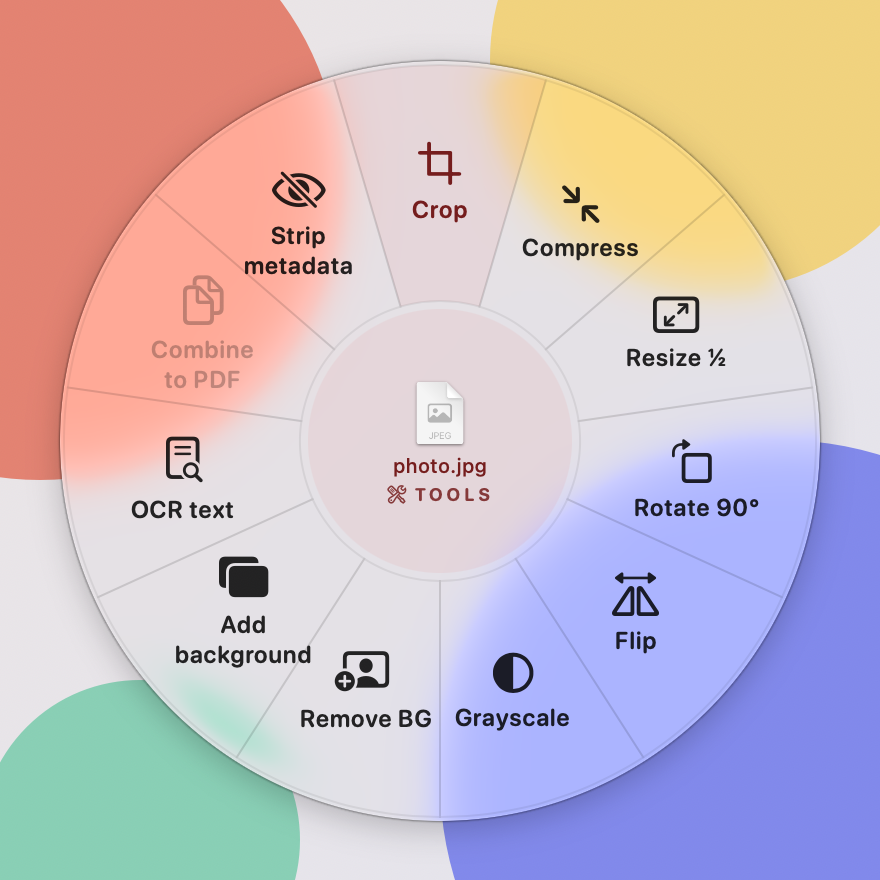
Tap Command mid-drag and the wheel fills with small edits for the file in your hand. Each one writes a new file beside it with a plain suffix; the original stays as it was.

Show the tools for
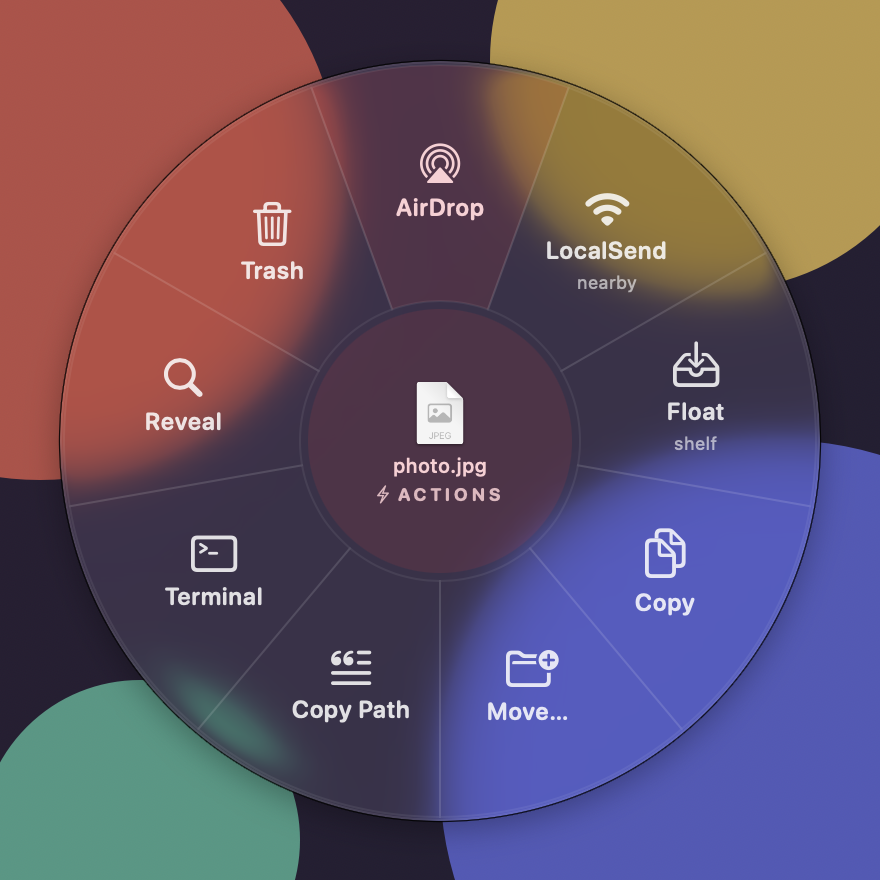
The Actions wheel around photo.jpg: AirDrop, LocalSend, Float shelf, Copy, Move, Copy Path, Terminal, Reveal and Trash.

ControlActions

Tap Control mid-drag to do something with the file itself instead of making a new one.

AirDrop, send with LocalSend, Float on a shelf, Copy, Move, Copy Path, open in Terminal, Reveal in Finder, Trash.

Send it with AirDrop.

The Actions wheel has an AirDrop slice. Drop a file on it and macOS opens its own AirDrop window with the file already in it.

  1. Drop on AirDrop. Drag a file, tap Control, let go on the AirDrop slice. Several files go together.
  2. Pick a nearby device. The system AirDrop window lists the iPhones, iPads and Macs around you. Choose one.
  3. They accept. As with any AirDrop. Nothing to install on either side, nothing to set up in Citrus.

Not Apple? LocalSend.

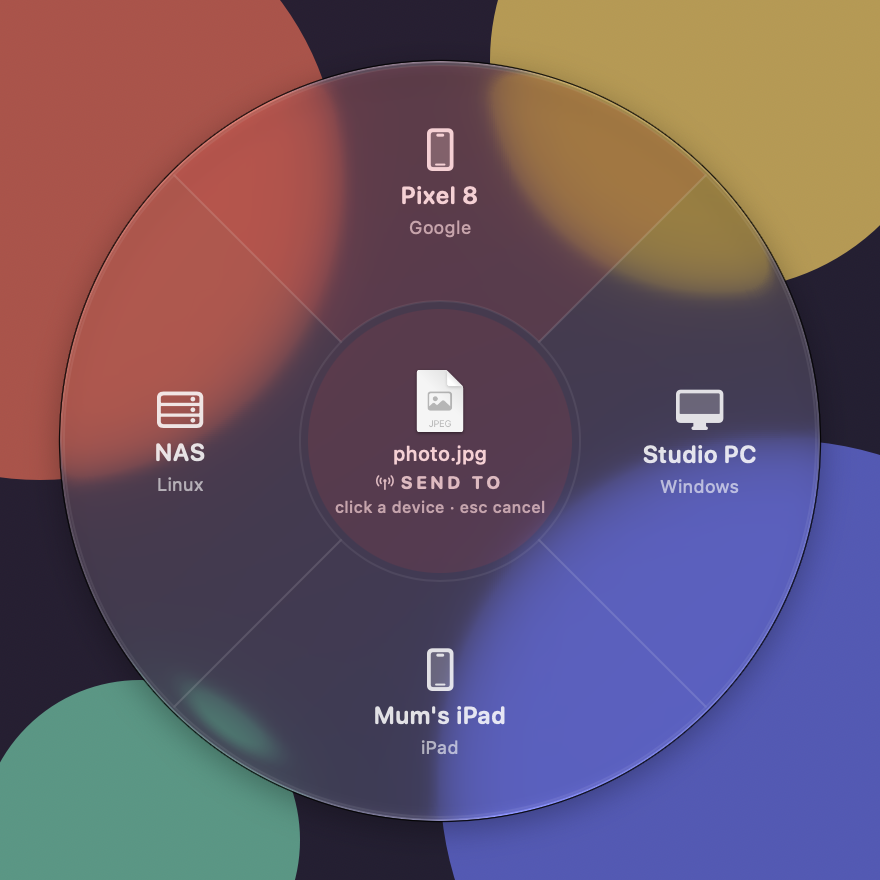
For Android, Windows and Linux, the LocalSend slice sends to anything running LocalSend.

The Send to wheel around photo.jpg, listing four nearby LocalSend devices: a Pixel 8, a Windows PC, a Linux NAS and an iPad. The devices are demo entries.
LocalSend device wheel.

LocalSend is free software by the LocalSend contributors, Apache-2.0. Logo from github.com/localsend/localsend. AirDrop is a trademark of Apple Inc. Citrus is not affiliated with LocalSend.

Mac first. Windows and Linux next.

The Mac app is native Swift. Windows and Linux get a separate port in Rust. Both read one shared catalog of slices and answer the same command line, checked by one conformance suite.

Powered bySwift

macOS 14 Sonoma or later

The original, built on Apple’s own frameworks.

While dragging
Press Shift Convert, Command Tools or Control Actions. Keys can be remapped.
Without dragging
Select files in Finder and press Control Return; arrow keys choose.
Lives in
The menu bar. Opens at login, which you can turn off.
Sending
AirDrop for Apple devices, LocalSend for everything else.
Helpers
ffmpeg, pandoc and unar for more formats. Pages, Numbers, Keynote, Office or LibreOffice for their formats.

Powered byRustOne port for Windows and Linux

Windows 10 and 11

An early port, built from the same catalog of slices.

While dragging
Press Shift, Ctrl or Alt and the wheel opens under the cursor. No permissions or hooks needed.
Without dragging
Right-click in Explorer › Citrus › Convert, Tools or Actions.
Lives in
The system tray.
Sending
LocalSend stands in for AirDrop.
Helpers
ffmpeg, LibreOffice, pandoc, poppler, qpdf, Tesseract, rembg, 7-Zip. Missing ones grey out their slices.

Linux X11 and Wayland

The same port, with one difference on Wayland.

While dragging
On X11, the same as Windows. Wayland keeps other apps’ drags private, so you drop on a small floating bubble instead, pressing a key to pick the wheel.
Without dragging
Nautilus scripts › Citrus, or Dolphin › Citrus.
Lives in
The system tray.
Sending
LocalSend, to phones and computers on your network.
Helpers
The same as Windows, plus heif-enc for HEIC and unar for RAR and 7z.

Not on Windows and Linux yet

  • The Crop, Trim and Add background editors and the Float shelf are greyed out.
  • No keyboard mode yet; the file manager menu covers the same need.
  • LocalSend receivers that ask for a PIN are declined.
  • No installers yet: plain .zip and .tar.gz archives, without helpers bundled.
  • Built and unit-tested, and checked to compile for both, but not yet run on a real Windows or Linux desktop.

Nothing leaves your computer.

Every conversion runs on the machine the file is already on, and the copy lands in the same folder. Drop any file on the folder to see where.

No uploads.
No server, no account, no queue. The system’s frameworks do the work, with the helpers you choose to install.
Originals stay put.
Output is always a new copy beside the original, or in a folder you pick in Settings. Nothing is moved or overwritten.
Sending stays home.
LocalSend goes device to device over your own network, and only after the other side accepts.
No snooping permissions.
On a Mac the default flow needs neither Accessibility nor Input Monitoring. On Windows, no hooks.

Downloads3 items

  • holiday.heic3.1 MB · the original
  • holiday.jpgJPEG image · the new copy
  • invoice.pdf212 KB

Drop a file here

0 bytes of it sent anywhere. This page reads a dropped file’s name and size, and nothing else.

Open source, and early.

An MIT-licensed alternative to Tangerine: the same idea of radial menus around a file while you drag, with its own look and an open implementation. Each tagged version will be built into a Mac app and Windows and Linux archives.

  1. The Mac app Coming soonmacOS 14 or later

    A Mac app that lives in the menu bar and opens at login, which you can turn off.

  2. Windows Coming soon.zip, Windows 10 and 11

    A plain archive, without helpers bundled. Lives in the system tray.

  3. Linux Coming soon.tar.gz, X11 or Wayland

    A plain archive, without helpers bundled. Lives in the system tray.